The TP-Link Tri-Band BE9700 WiFi 7 Router review centers on a feature-rich choice for homes that want a 6 GHz band, fast wired connections, and capacity for many devices.
The Archer BE600 makes the most sense when your internet plan and client devices can use its Wi-Fi 7 and multi-gig capabilities.
Archer BE600 Review Summary
The quick verdict
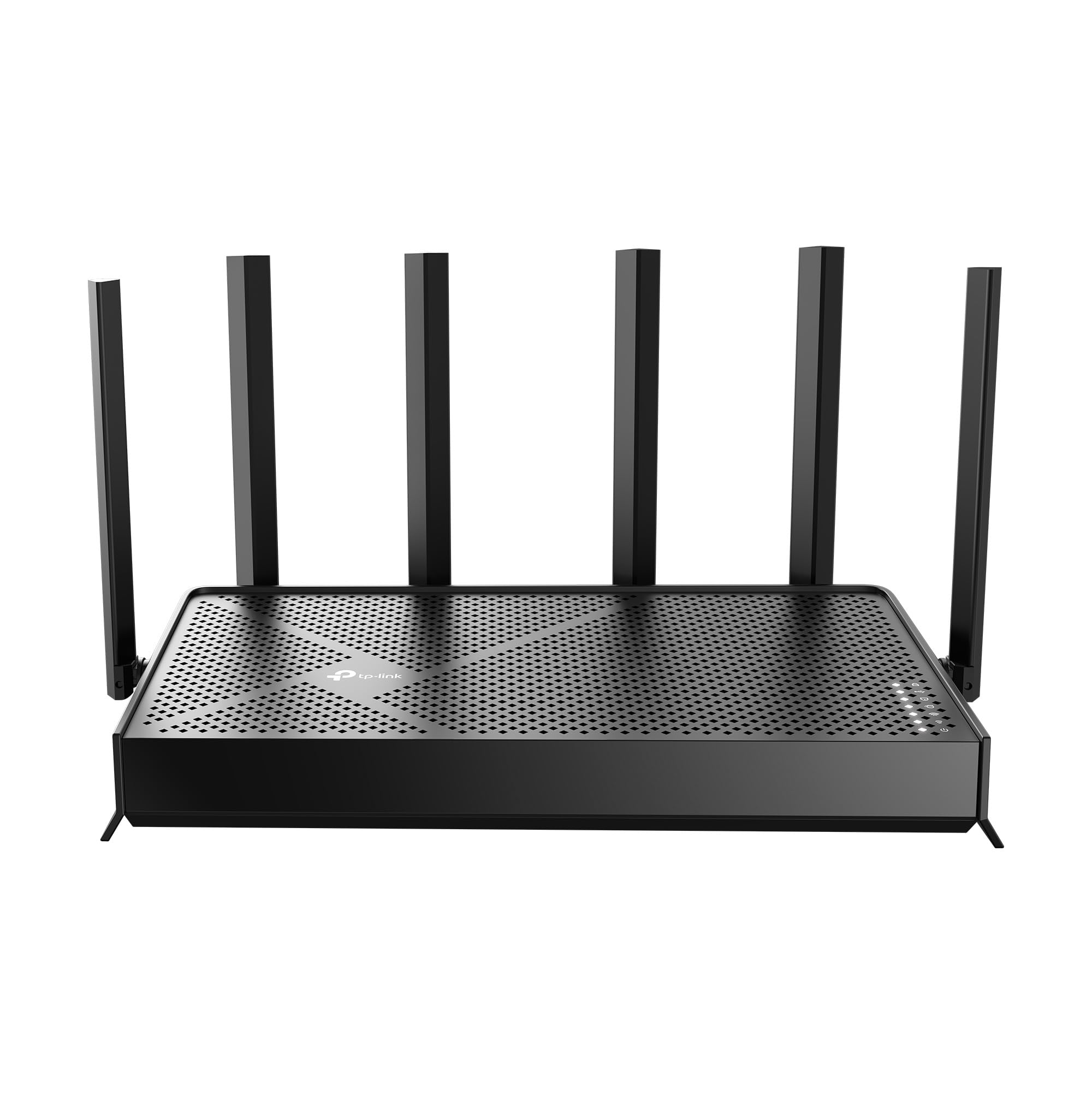
600+ ratings
Read Amazon ReviewsTP-Link Archer BE600
A strong fit for busy homes seeking Wi-Fi 7, a 6 GHz band, multi-gig wired ports, and built-in VPN support.
- Tri-band Wi-Fi 7 with maximum rates of up to 5,765 Mbps on 6 GHz, 2,882 Mbps on 5 GHz, and 1,032 Mbps on 2.4 GHz.
- Wi-Fi 7 capabilities include Multi-Link Operation, Multi-RUs, 4K-QAM, and channels up to 320 MHz.
- One 10 Gbps WAN/LAN port, one 2.5 Gbps WAN/LAN port, and three 2.5 Gbps LAN ports.
- Coverage is rated for up to 2,600 square feet and up to 120 devices; the design uses six antennas and beamforming.

Pros
- Three frequency bands give compatible devices access to 6 GHz as well as 5 GHz and 2.4 GHz.
- The five multi-gig ports offer substantial wired flexibility for a fast modem and several LAN devices.
Consider before buying
- The highest wireless rates depend on compatible client devices and suitable conditions; older devices cannot use every Wi-Fi 7 feature.
- A 10 Gbps port and multiple 2.5 Gbps ports are most useful when your modem, internet plan, and wired equipment can take advantage of them.
Read the full review summary
The Archer BE600 combines tri-band Wi-Fi 7 with a 10 Gbps WAN/LAN port, a 2.5 Gbps WAN/LAN port, and three 2.5 Gbps LAN ports.
Its headline wireless rates are up to 5,765 Mbps on 6 GHz, 2,882 Mbps on 5 GHz, and 1,032 Mbps on 2.4 GHz.
Multi-Link Operation, Multi-RUs, 4K-QAM, and channels up to 320 MHz are intended to make use of newer compatible devices and wider wireless capacity.
TP-Link gives a coverage estimate of up to 2,600 square feet and support for up to 120 devices, with six antennas and beamforming.
The router also offers Tether app or web setup and management, HomeShield network and IoT protection features, parental controls, and VPN client and server support.
It is best suited to a household with a fast connection, several wired devices, or a specific need for 6 GHz and Wi-Fi 7; a simpler home may not benefit from paying for so much capacity.
The buying factors
Archer BE600 Scorecard
Editorial scores reflect listed features and buyer fit; they are not laboratory measurements or customer ratings.
Wi-Fi 7 feature set
Includes MLO, Multi-RUs, 4K-QAM, and support for channels up to 320 MHz.
Wireless band flexibility
Tri-band design includes 2.4 GHz, 5 GHz, and 6 GHz, with separate maximum rates for each.
Wired connectivity
The port mix includes one 10 Gbps port and four 2.5 Gbps ports, with WAN/LAN flexibility on two.
Coverage potential
The stated coverage reaches up to 2,600 square feet, supported by six antennas and beamforming; actual range depends on the home.
Device capacity
Designed for up to 120 devices, a useful ceiling for device-heavy households.
Network management and protection
Tether and web management, HomeShield features, and VPN support provide several useful controls.
Key Features and Specifications of Archer BE600
- Tri-band Wi-Fi 7 with maximum rates of up to 5,765 Mbps on 6 GHz, 2,882 Mbps on 5 GHz, and 1,032 Mbps on 2.4 GHz.
- Wi-Fi 7 capabilities include Multi-Link Operation, Multi-RUs, 4K-QAM, and channels up to 320 MHz.
- One 10 Gbps WAN/LAN port, one 2.5 Gbps WAN/LAN port, and three 2.5 Gbps LAN ports.
- Coverage is rated for up to 2,600 square feet and up to 120 devices; the design uses six antennas and beamforming.
- HomeShield includes network protection, parental controls, and real-time IoT security features.
- Supports VPN clients and servers, with simultaneous VPN and regular internet connections.
- Can be set up and managed through TP-Link’s Tether app or a web interface.
Pros and Cons of Archer BE600
Pros
- Three frequency bands give compatible devices access to 6 GHz as well as 5 GHz and 2.4 GHz.
- The five multi-gig ports offer substantial wired flexibility for a fast modem and several LAN devices.
- Wi-Fi 7 features and broad advertised device capacity suit a connected household looking to upgrade.
- VPN options, parental controls, and IoT security features add useful network-management tools.
Consider before buying
- The highest wireless rates depend on compatible client devices and suitable conditions; older devices cannot use every Wi-Fi 7 feature.
- A 10 Gbps port and multiple 2.5 Gbps ports are most useful when your modem, internet plan, and wired equipment can take advantage of them.
- The coverage and device figures are maximum estimates, so a home with difficult walls or a spread-out layout may need a placement check or additional coverage planning.
Who Should Buy Archer BE600?
Good fit
Consider the Archer BE600 if you are building around Wi-Fi 7 and want a tri-band router with a 6 GHz band.
MLO, Multi-RUs, 4K-QAM, and wide channels give newer compatible laptops, phones, and other clients more of the technology’s capabilities to use.
It can also be a practical fit for a busy household that wants headroom for multiple simultaneous connections.
Its wired layout is a major reason to choose this model.
The 10 Gbps WAN/LAN port can connect to a suitable multi-gig modem or device, while four additional 2.5 Gbps ports provide room for wired systems such as a desktop, console, or network storage.
Before buying, check the port speeds on your internet equipment and the devices you plan to connect so the extra capacity matches your setup.
The Tether app and web interface give you two ways to manage the network, while HomeShield and VPN client/server support address security and remote-access needs.
If those controls matter to your household, review which HomeShield features and VPN setup options fit your intended use.
Who should skip it
Skip it if your devices and internet connection are limited to basic Wi-Fi and gigabit wired speeds. In that situation, much of the router’s Wi-Fi 7 and multi-gig capacity may go unused.
Look elsewhere if you need a guaranteed signal in every room based only on a coverage estimate. Consider your floor plan, wall materials, and router placement, and check whether you would need a separate mesh or extender solution.
TP-Link Archer BE600 Review: How Its Wi-Fi 7 Design Fits a Home Network
Tri-band Wi-Fi 7 and compatible devices
The 6 GHz band is the distinguishing piece of this router’s tri-band design, while the 5 GHz and 2.4 GHz bands maintain options for a broader range of devices.
The listed peak rates and Wi-Fi 7 features describe the router’s capabilities, not a guaranteed speed for each client.
To benefit, check whether your key devices support Wi-Fi 7 and whether your home environment can accommodate the 6 GHz connection.
A rare amount of multi-gig wired capacity
The port arrangement gives the BE600 more wired flexibility than a router with only one multi-gig connection.
One 10 Gbps and four 2.5 Gbps ports can serve a fast uplink and several high-bandwidth wired devices, but the actual link is limited by the connected modem, plan, and device.
Map your intended connections before buying to see whether this port mix solves a real bottleneck.
Coverage and household size
Six antennas, beamforming, and a stated maximum area of 2,600 square feet make the design suitable to consider for a larger or device-heavy home. Those figures do not guarantee even service through every wall or across every floor.
A central placement with fewer obstructions is a sensible starting point; homes with challenging layouts should plan around their weakest rooms rather than the maximum area figure.
Management, VPN, and security features
HomeShield combines network protection, parental controls, and IoT security features, and management is available through the Tether app or web interface. VPN client and server support offers flexibility for users who want network-level VPN access or remote connectivity.
Buyers should confirm that the available controls and VPN configuration support their particular setup before relying on them.
Alternatives to Archer BE600
Computer Routers alternative
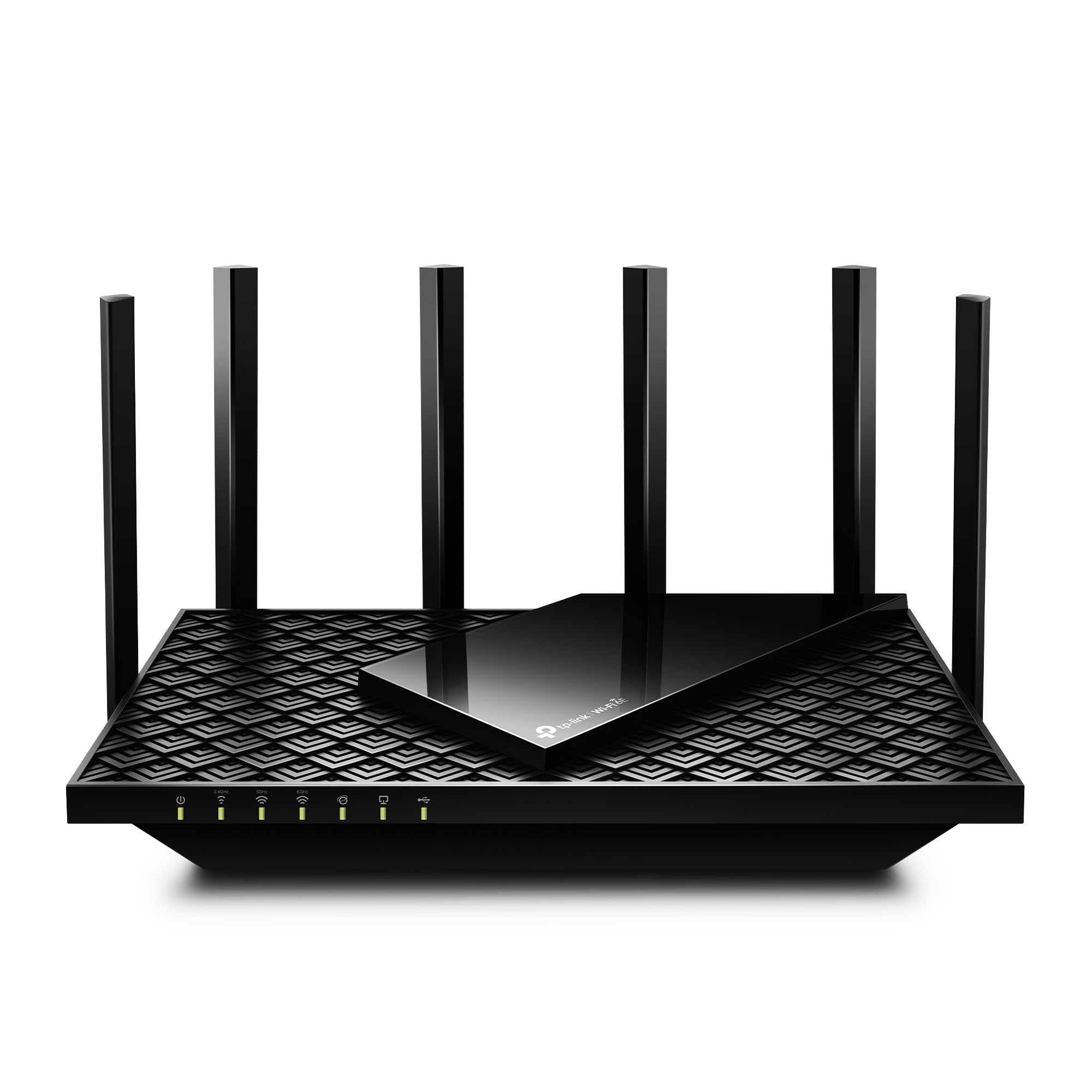
5,000+ ratings
Read Amazon ReviewsTP-Link Archer AXE75
Choose the BE600 if you want Wi-Fi 7 features and several multi-gig wired connections.
The AXE75 is a relevant alternative if Wi-Fi 6E is sufficient and its OneMesh support better fits a plan to extend coverage with a compatible extender.
- The Archer AXE75 is a Wi-Fi 6E tri-band router rated up to 5,400 Mbps, with a 2.5 Gbps WAN port, 160 MHz channels, VPN client and server support, and OneMesh support.
- The Archer BE600 is a Wi-Fi 7 tri-band router with a 6 GHz band, channels up to 320 MHz, and a 10 Gbps port plus four 2.5 Gbps ports.
Computer Routers alternative
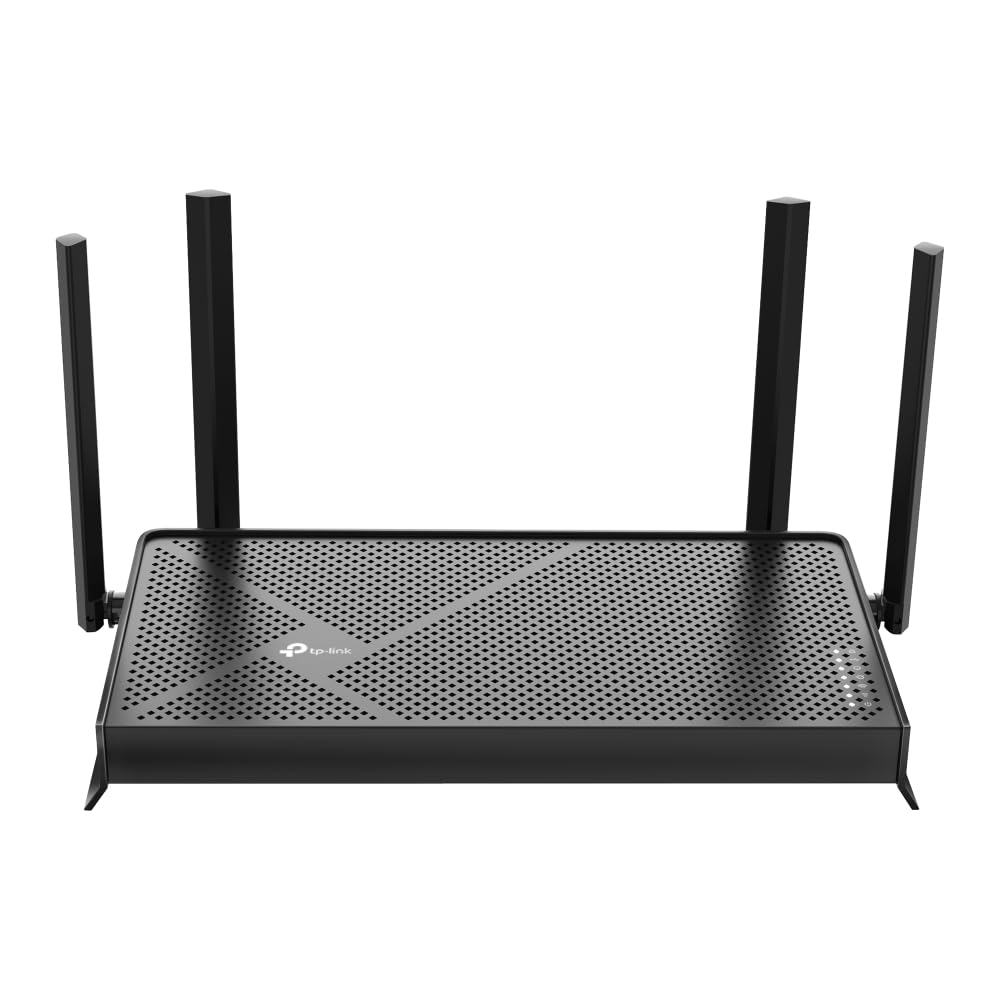
1,000+ ratings
Read Amazon ReviewsTP-Link Archer BE230
Choose the BE600 when 6 GHz, greater stated device capacity, or multiple multi-gig wired connections matter.
The BE230 is a fit to consider if you want Wi-Fi 7 but a dual-band design and its port arrangement better match your home; it also provides EasyMesh support for compatible coverage expansion.
- The Archer BE230 is a dual-band Wi-Fi 7 router with up to 2,882 Mbps on 5 GHz and 688 Mbps on 2.4 GHz, a 2.5 Gbps WAN/LAN port, a 2.5 Gbps LAN port, and three 1 Gbps LAN ports.
- Its stated coverage is up to 2,000 square feet for up to 60 devices, and it supports EasyMesh.
- The Archer BE600 adds a third, 6 GHz band and higher stated peak rates, with a larger maximum coverage estimate and more 2.5 Gbps LAN ports.
Is Archer BE600 Worth It?
The TP-Link Archer BE600 is worth considering if you have Wi-Fi 7 clients, a fast multi-gig connection, or several wired devices that can use its 10 Gbps and 2.5 Gbps ports.
Its mix of tri-band wireless, wide-channel support, VPN options, and network controls gives it a clear role in a capable home network.
Buy it when those features solve a need you already have or expect soon.
If your internet plan and devices are more modest, a less capable router may be a better fit; and for any home, check your layout and connected equipment before treating maximum rates and coverage as expected results.
Your review at a glance
600+ ratings
Read Amazon ReviewsTP-Link Archer BE600
A strong fit for busy homes seeking Wi-Fi 7, a 6 GHz band, multi-gig wired ports, and built-in VPN support.
- Tri-band Wi-Fi 7 with maximum rates of up to 5,765 Mbps on 6 GHz, 2,882 Mbps on 5 GHz, and 1,032 Mbps on 2.4 GHz.
- Wi-Fi 7 capabilities include Multi-Link Operation, Multi-RUs, 4K-QAM, and channels up to 320 MHz.
- One 10 Gbps WAN/LAN port, one 2.5 Gbps WAN/LAN port, and three 2.5 Gbps LAN ports.
- Coverage is rated for up to 2,600 square feet and up to 120 devices; the design uses six antennas and beamforming.